Have you ever seen your business website score green on PageSpeed, but visitors still leave before the page finishes loading?
Or maybe you have heard of Core Web Vitals, but you are not sure whether those numbers actually affect sales and conversion?
I understand that confusion. Many business owners focus on lab scores while the thing that really matters is the experience visitors get in the real world.
The two are connected. A slow website does not only frustrate visitors. It can also eat into your revenue little by little.
Amazon found that every 100 milliseconds of loading delay can reduce sales by about 1%. That sounds small on paper, but if your revenue is large, the impact is not.
In Indonesia, the proportion is the same. Imagine an online business with substantial annual turnover. Even a small conversion drop caused by a slow website can mean a meaningful loss of revenue over time.
What I often see in the field is that business owners do not realize their website is losing opportunities every day, because the problem does not look dramatic on the homepage.
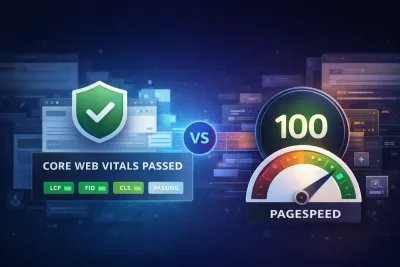
That is why Google introduced Core Web Vitals, a set of metrics that measure website user experience objectively. These are not just technical numbers for developers. They are indicators that correlate directly with business performance: conversion rate, bounce rate, and ultimately revenue.
In this article, I will explain how Core Web Vitals affects your business, with a real case study from our client, PT Zumatic Saka Persada, which improved mobile performance by 75.47%.
Understanding Core Web Vitals: More Than Technical Numbers
The Latest Update: INP Replaced FID
Since March 2024, Google officially replaced First Input Delay (FID) with Interaction to Next Paint (INP) as one of the Core Web Vitals. This was not just a technical update. Google adjusted the metric because modern websites are far more interactive than they used to be.
The three pillars of Core Web Vitals:
- Largest Contentful Paint (LCP): measures loading speed
- Interaction to Next Paint (INP): measures responsiveness
- Cumulative Layout Shift (CLS): measures visual stability
Why the Shift to INP Matters for Your Business
Data shows that nearly 600,000 websites that previously passed Core Web Vitals suddenly failed when INP replaced FID. INP is stricter about responsiveness, and that ties directly to user experience and conversion rate.
Optimal thresholds for business performance:
| Metric | Good | Needs Improvement | Poor |
|---|
| LCP | 2.5 seconds or less | 2.5-4.0 seconds | More than 4.0 seconds |
| INP | 200 ms or less | 200-500 ms | More than 500 ms |
| CLS | 0.1 or less | 0.1-0.25 | More than 0.25 |
Core Web Vitals as a Google Ranking Factor
Although Google says Core Web Vitals is not a dominant ranking factor, John Mueller from Google has said it is “more than just a tie-breaker.” When content and relevance are similar, Core Web Vitals can become the deciding factor.
But in my view, the direct effect on visitor behavior matters more than ranking alone:
- 47% of users expect a website to load in 2 seconds or less
- Bounce probability rises 32% when loading time goes from 1 second to 3 seconds
- Bounce probability can rise 90% when loading reaches 5 seconds
Financial Impact of Core Web Vitals: Data and Case Studies
Global Studies: Direct Revenue Correlation
Groupe Renault (2024)
After analyzing 10 million visits, Groupe Renault found a strong correlation between Largest Contentful Paint and conversion rate. Every 1 second improvement in LCP contributed to:
- 14 percentage point decrease in bounce rate
- 13% increase in conversion
Vodafone (2024)
By testing two pages that were visually and functionally identical but differed by 31% in LCP score, Vodafone found:
- 8% sales increase on the optimized page
Indonesia Case Study: PT Zumatic Saka Persada
Now I will walk you through a real project we handled in 2024: PT Zumatic Saka Persada.
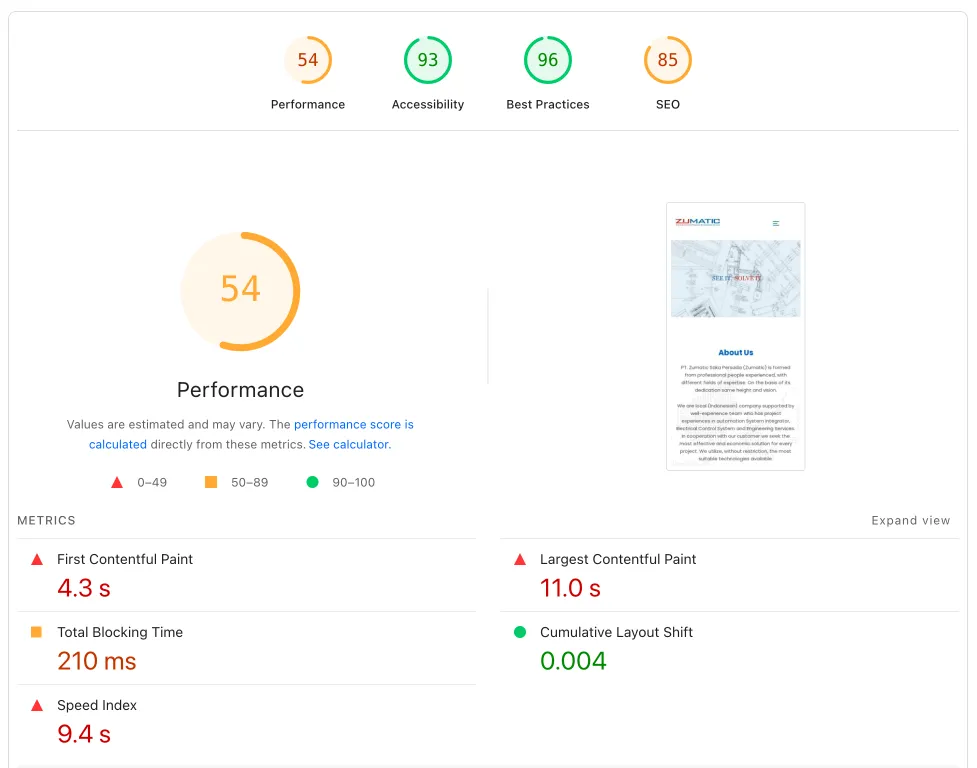
Starting point (before optimization):
| Metric | Mobile | Desktop |
|---|
| Performance Score | 53 | 81 |
| Accessibility | 93 | 98 |
| Best Practices | 96 | 96 |
| SEO | 85 | 85 |
Browser speed test (before):
- 122 HTTP requests
- 3.1 MB data transferred
- 7.0 MB total resources
- 3.33 second finish time
- 1.35 second DOMContentLoaded
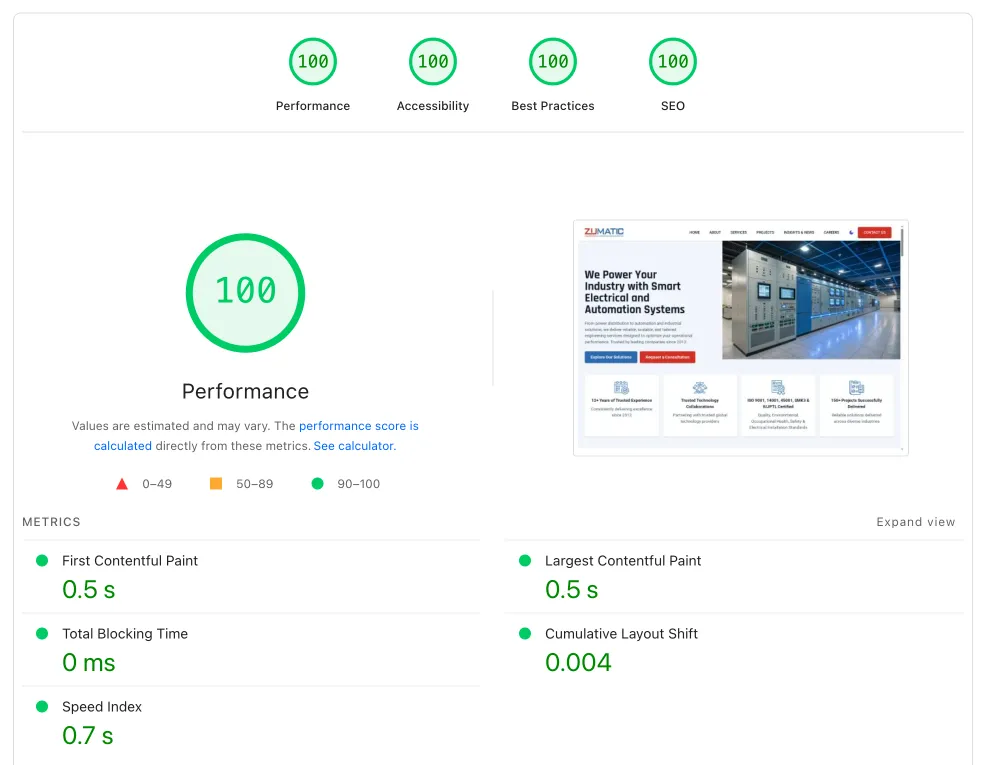
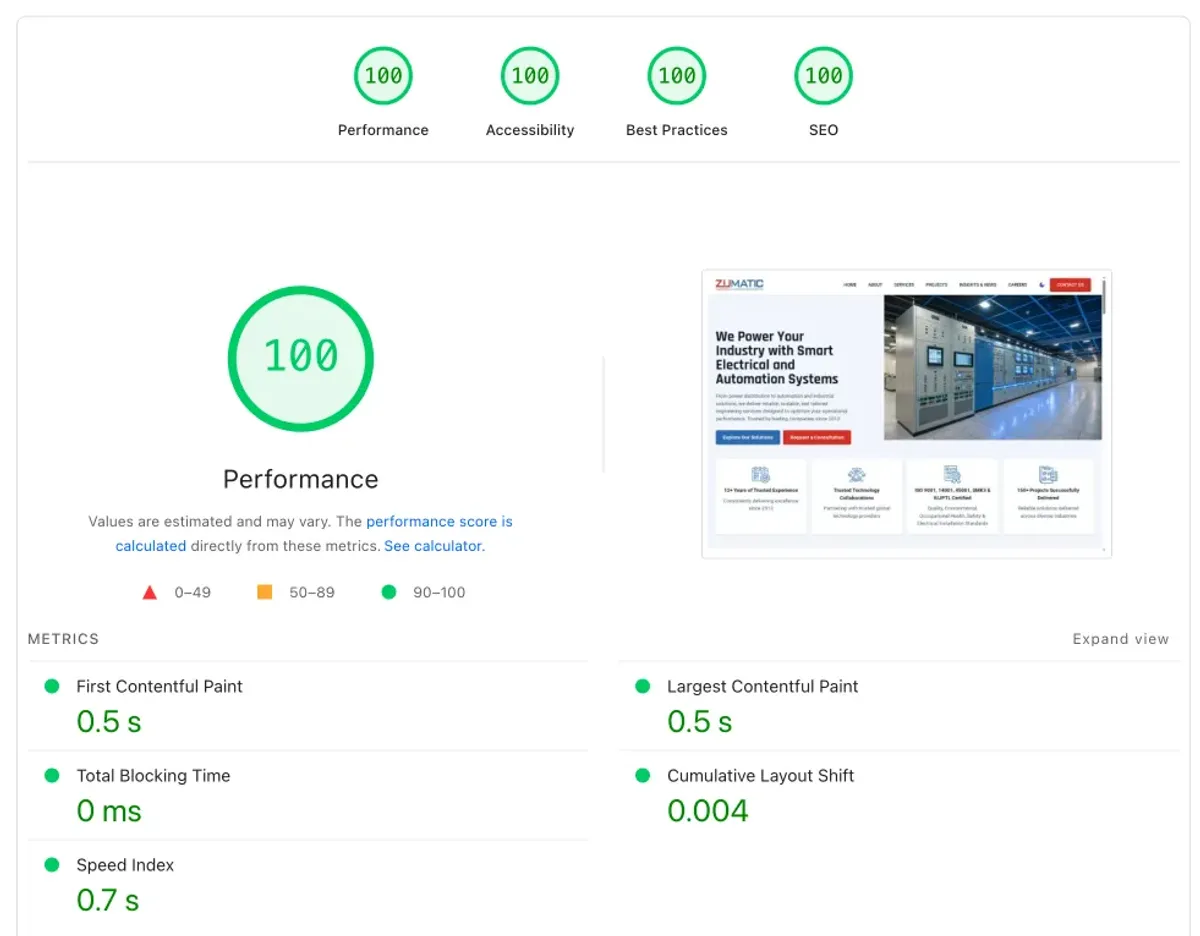
Results after optimization:
| Metric | Mobile | Desktop | Improvement |
|---|
| Performance Score | 93 | 100 | 75.47% (Mobile) |
| Accessibility | 100 | 100 | 7.53% (Mobile) |
| Best Practices | 100 | 100 | 4.17% |
| SEO | 100 | 100 | 17.65% |
Browser speed test (after):
- 64 HTTP requests (47.54% reduction)
- 4.8 MB data transferred (optimized content)
- 5.2 MB total resources (25.71% reduction)
- 1.70 second finish time (48.95% faster)
- 1.44 second DOMContentLoaded (stable)
Technical Implementation: Effective Core Web Vitals Optimization
If you have a technical team, or you simply want to understand what we usually do on projects like this, here is the practical breakdown.
1. Largest Contentful Paint (LCP) Optimization
Target: 2.5 seconds or less
Main strategies:
A. Image optimization
<!-- Prioritize the LCP image -->
<img src="hero-image.webp"
     fetchpriority="high"
     alt="Hero Image"
     width="1200"
     height="600">
B. Critical resource prioritization
- Preload key fonts and images
- Avoid lazy loading for above-the-fold content
- Optimize server response time (TTFB under 600ms)
C. Hosting and CDN
Upgrading hosting infrastructure can make a clear difference. I usually recommend solid managed WordPress hosting when you need consistent business performance.
2. Interaction to Next Paint (INP) Optimization
Target: 200 ms or less
Relevant techniques for 2025:
A. Long Animation Frames (LoAF) API
// Monitor long animation frames
if ('PerformanceObserver' in window) {
  const observer = new PerformanceObserver((list) => {
    for (const entry of list.getEntries()) {
      if (entry.duration > 50) {
        console.log('Long animation frame detected:', entry);
      }
    }
  });
  observer.observe({entryTypes: ['long-animation-frame']});
}
B. DOM size reduction
- Target DOM nodes under 1,500 elements
- Lazy load non-critical content
- Use document fragments for bulk element insertion
C. JavaScript optimization
- Code splitting to reduce main-thread blocking
- Web Workers for heavy computation
- Optimize event handlers and debounce user interactions
3. Cumulative Layout Shift (CLS) Optimization
Target: 0.1 or less
Practical implementation:
A. Reserve space for dynamic content
.ad-container {
  min-height: 250px; /* Reserve space for ads */
  width: 300px;
}

.image-placeholder {
  aspect-ratio: 16/9; /* Prevent layout shift */
  background-color: #f0f0f0;
}
B. Font loading optimization
@font-face {
  font-family: 'CustomFont';
  src: url('custom-font.woff2') format('woff2');
  font-display: swap; /* Prevent invisible text */
}
C. Proper image dimensions
<!-- Always specify dimensions -->
<img src="image.jpg"
     width="400"
     height="300"
     alt="Description">
1. Google PageSpeed Insights
- pagespeed.web.dev: official Google tool
- Provides both lab and field data
- Clear improvement recommendations with priorities
2. Google Search Console
- Core Web Vitals report based on real user data
- Identifies page groups with similar issues
- 28-day rolling average for more accurate measurement
3. Web Vitals Chrome Extension
- Real-time monitoring while browsing
- Instant feedback during development
- Available on the Chrome Web Store
4. Advanced monitoring
For deeper monitoring needs, you can consider:
- GTmetrix: detailed performance analysis
- WebPageTest: deep waterfall analysis
- New Relic: real user monitoring (RUM)
- Raygun: performance monitoring with business impact correlation
Warning: Do Not Over-Optimize
John Mueller from Google once said: “It’s not worth over-focusing on tweaking the scores just for SEO. Getting those last few percent can be a ton of work… but it’s not going to make your site’s rankings jump up.”
I agree with that advice. Your focus should be:
- Prioritize business impact: fix what users actually feel
- Apply the 80/20 rule: 80% of improvement usually comes from 20% of effort
- Monitor real user data: lab data helps during development, but field data affects rankings
- Measure business metrics: track conversion, revenue, and engagement, not only technical scores
Optimizing Your Website: Next Steps
Assessment and Planning
Before you start optimizing, I suggest running an audit like the one we did for PT Zumatic:
1. Current state analysis
- Core Web Vitals measurement based on real user data
- Benchmarking against competitors
- Business impact assessment
2. Priority matrix
- High-impact, low-effort fixes for quick wins
- Technical debt that hurts long-term performance
- Business-critical features that need special attention
3. Implementation roadmap
- Phase 1: critical fixes and quick wins
- Phase 2: structural improvements
- Phase 3: advanced optimization and monitoring
When Should You Bring in an Expert?
DIY optimization works if:
- Your website is relatively simple with moderate traffic
- Your internal team has technical skills
- Your budget for external help is limited
Professional help makes more sense if:
- Your website is complex with many integrations
- You want optimization that actually moves the business
- You need custom solutions like the ones we built for PT Zumatic
- Your timeline is tight and you cannot afford trial and error
In PT Zumatic’s case, bringing in professional help produced clear results: not only technical fixes, but also process improvements and long-term planning.
Optimization Services
At Harun Studio, we help with Core Web Vitals optimization through several services:
Website development
- Hosting and technical foundation built for performance
- Personal support for technical issues
- Stable setup for business websites
Website maintenance
- Focus on real bottlenecks: plugins, cache, media, database, and server
- Measurable improvements for UX and Core Web Vitals
- Good fit when you want a faster site without a full redesign
WordPress to Astro migration
- Performance through static site generation
- Much faster websites with healthier Core Web Vitals
- Modern stack for the long term
Every website has different challenges and opportunities. What worked for PT Zumatic may need to be adjusted for your site.
Our free performance audit includes:
- Current Core Web Vitals assessment
- Priority matrix for an optimization roadmap
- Performance improvement recommendations
- Realistic timeline and expectations
Contact us for a free consultation. We usually reply on WhatsApp within 10 minutes during business hours, with no obligation to continue.
Do not let a slow website hold your business back. As the PT Zumatic project showed, investing in Core Web Vitals is not just a technical fix. It is a business decision that shows up directly in visitor experience and conversion rate.
Are you ready to evaluate your website and see how much room it still has to improve?

 OPTIMIZATION