Timeline
November 2025 -> January 2026
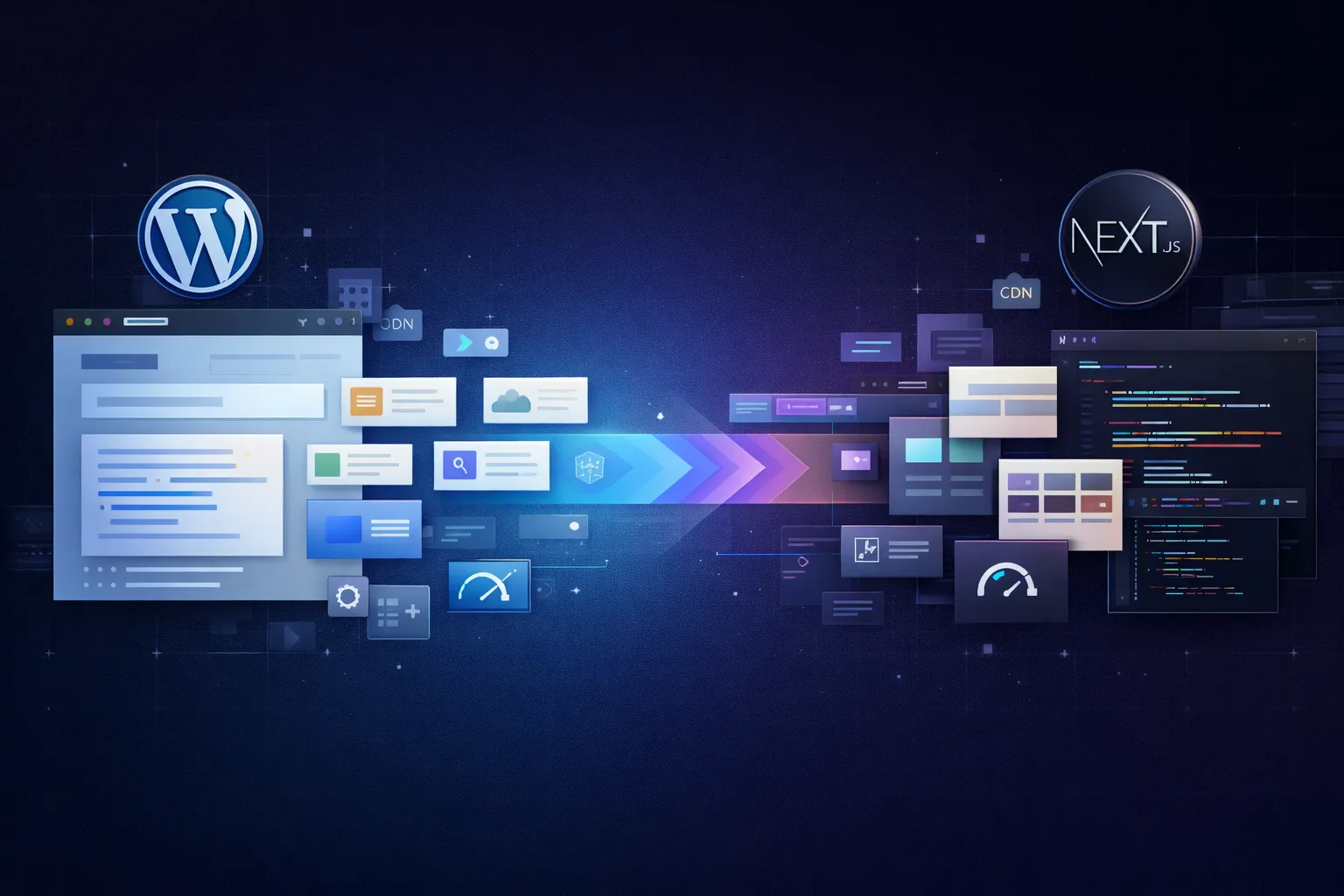
This project started in November 2025 and was completed in January 2026. In terms of timeline, two months for a migration like this is relatively fast, especially because I was working on it while still handling client projects at Harun Studio.
The interesting part is this: the migration did not happen because WordPress failed.
Before the move, PenasihatHosting.com already felt convincing on WordPress. From SEO, content management, stability, to lightweight customization with a stack like GeneratePress and GenerateBlocks, it was still a very workable setup. I had also been using WordPress almost every day for around 10 years, so there was no fundamental problem that made me feel I had to “escape” from WordPress.
The turning point came from product direction.
Penasihat Hosting no longer wanted to stop at being a regular review blog. The direction had changed into a broader hosting ecosystem: reviews, hosting directories, wiki content, blog posts, guides, and tool pages such as an uptime calculator, DNS lookup tool, SSL checker, and more. At that point, I felt the long-term needs for the next 5 to 10 years would be much easier to handle with a more flexible stack.
Timeline
November 2025 -> January 2026
Main Driver
Product pivot, not an “escape” from WordPress
New Stack
Next.js 16 + PostgreSQL + custom CMS
Rendering
Static-first, cache-heavy, tag revalidation
PageSpeed
95 mobile / 100 desktop
CWV
Core Web Vitals Assessment: Passed
If your WordPress website is growing beyond a standard content site and starting to feel more like a product platform, start with a free consultation so the stack you choose truly fits the next 5 to 10 years.
I want to make this clear first, because migration stories are often oversimplified, as if moving away from WordPress automatically means WordPress was bad. That is not true.
The previous WordPress stack at Penasihat Hosting was already fairly healthy:
So the problem was not “WordPress is slow,” “WordPress is bad,” or “WordPress is unreliable.”
The real issue was this: the product being built was moving further away from the shape of a typical website.
Once the target becomes a hosting platform with provider directories, categories, data centers, promos, plans, wiki content, blog content, and interactive tool pages, the business logic starts becoming much more complex. At that point, I felt that forcing everything to keep growing inside WordPress would also increase long-term overhead: more manual labor, more architectural compromises, and more areas that would feel like “it works, but it does not feel natural.”
After considering several options, I chose Next.js 16.
Not because I am a hardcore Next.js developer. In fact, the opposite is closer to the truth: I am still learning and I have not spent that many years living full-time in the React/Next ecosystem. But for the needs of Penasihat Hosting, Next.js felt like the best compromise between flexibility, productivity, and the long-term future of the product.
The main reasons:
One stack for frontend and backend
I could build the public interface, dynamic routes, server actions, admin CMS, and more custom logic inside one ecosystem.
A more natural fit for a hybrid of content and application logic
Penasihat Hosting is not just a blog. It has very content-heavy areas, but it also has parts that behave more like an application layer: directories, filtering, comparisons, and various utility tools.
A better foundation for future tool pages
For features such as an uptime calculator, DNS lookup, SSL checker, .htaccess generator, robots.txt generator, and other tools, Next.js feels cleaner and more flexible than forcing everything into a WordPress plugin and page-builder pattern.
A much better fit for AI-assisted workflows
With a modern stack like Next.js, TypeScript, and modular components, development with AI feels much more productive. A lot of manual work drops compared with the older workflow of juggling PHP, snippets, hooks, CSS, and plugin behavior.
So if the question is: “Is Next.js actually a better fit than WordPress for a case like this?”
My answer is: yes, for a project like Penasihat Hosting, it is.
If you are only building a company profile, a regular blog, or a straightforward content website, WordPress is still a very rational choice. But for a platform moving toward a product ecosystem with many custom data relationships and interactive tools, Next.js feels more natural.
I am not a Next.js developer who has spent years living entirely inside this stack. But I was not starting from zero either.
Before this project, I had already built several things with Next.js, including:
That means I was not yet a veteran, but I had enough foundation to know this project was realistic to build while still learning more deeply.
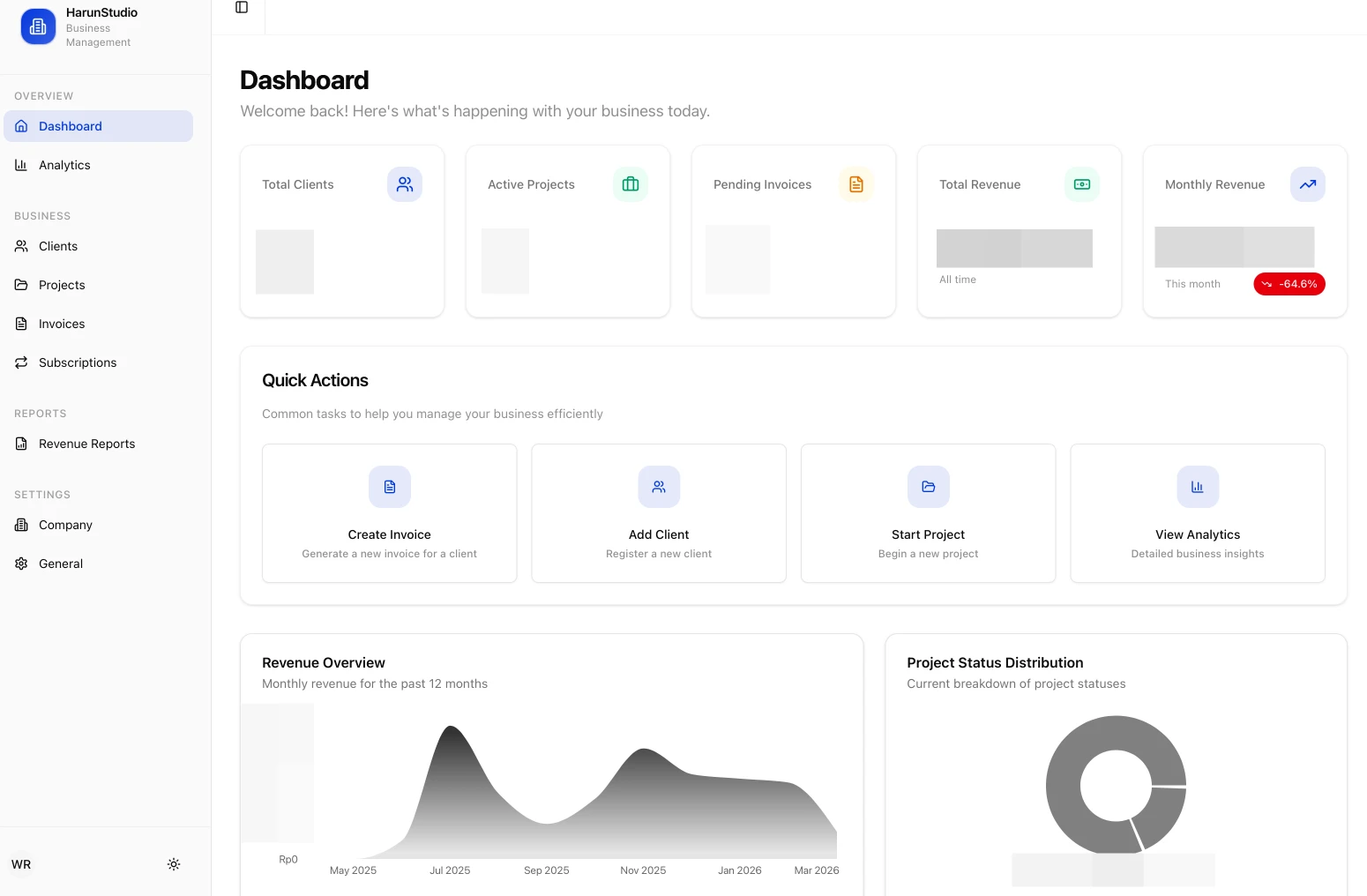
And honestly, that is one reason the timing of this migration felt right: AI for coding has become much more reliable. I could focus on architecture, validation, refinement, and quality control, while a lot of repetitive work could be accelerated by tools like Cursor, Codex, and more mature prompt-first workflows.
Like most of my WordPress projects, the old Penasihat Hosting stack was built with a lightweight approach:
This was still a good WordPress stack. So once again, the real issue was not the quality of the old stack, but the fact that the product had grown beyond the shape of a typical WordPress site.
The new architecture is built around these main components:
I chose to run this website on a Singapore VPS, which is very close to the main audience in Indonesia. For me, this is a comfortable combination: I still keep server control, performance feels fast for the Indonesian market, and I am not dependent on too many third parties for core hosting and the database.
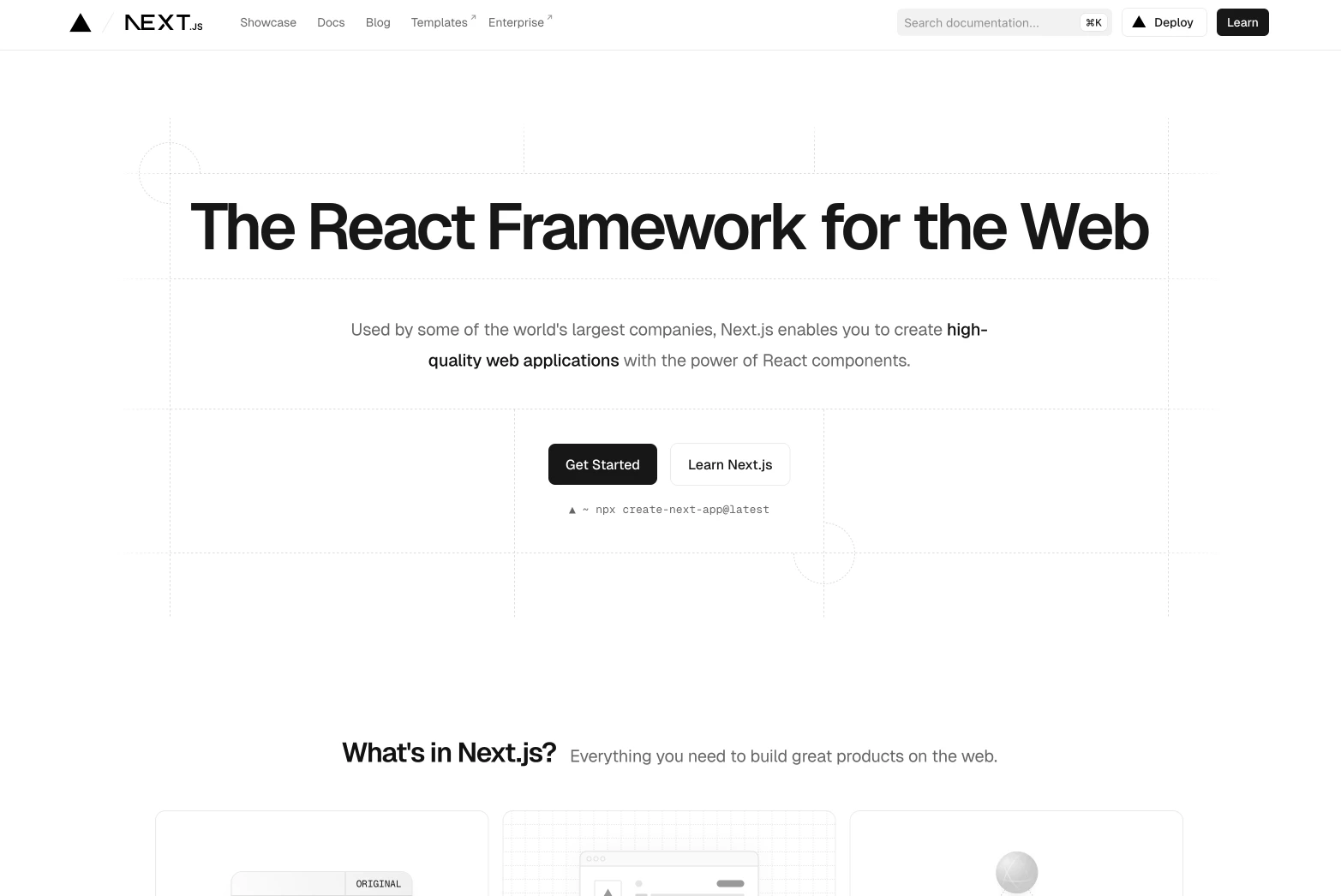
One of the boldest decisions in this project, and one I am very glad I made, was building an internal CMS.
Technically, I understand why this sounds like more work. WordPress already gives you Gutenberg, a visual editor, a huge plugin ecosystem, and a far more mature publishing workflow. But for me personally, a very beginner-friendly editor was not essential, because I am a developer and I am already comfortable with MDX.
So the goal was not to build a general-purpose CMS like WordPress. I only wanted to build a CMS that fits my own workflow.
The internal structure I built includes:
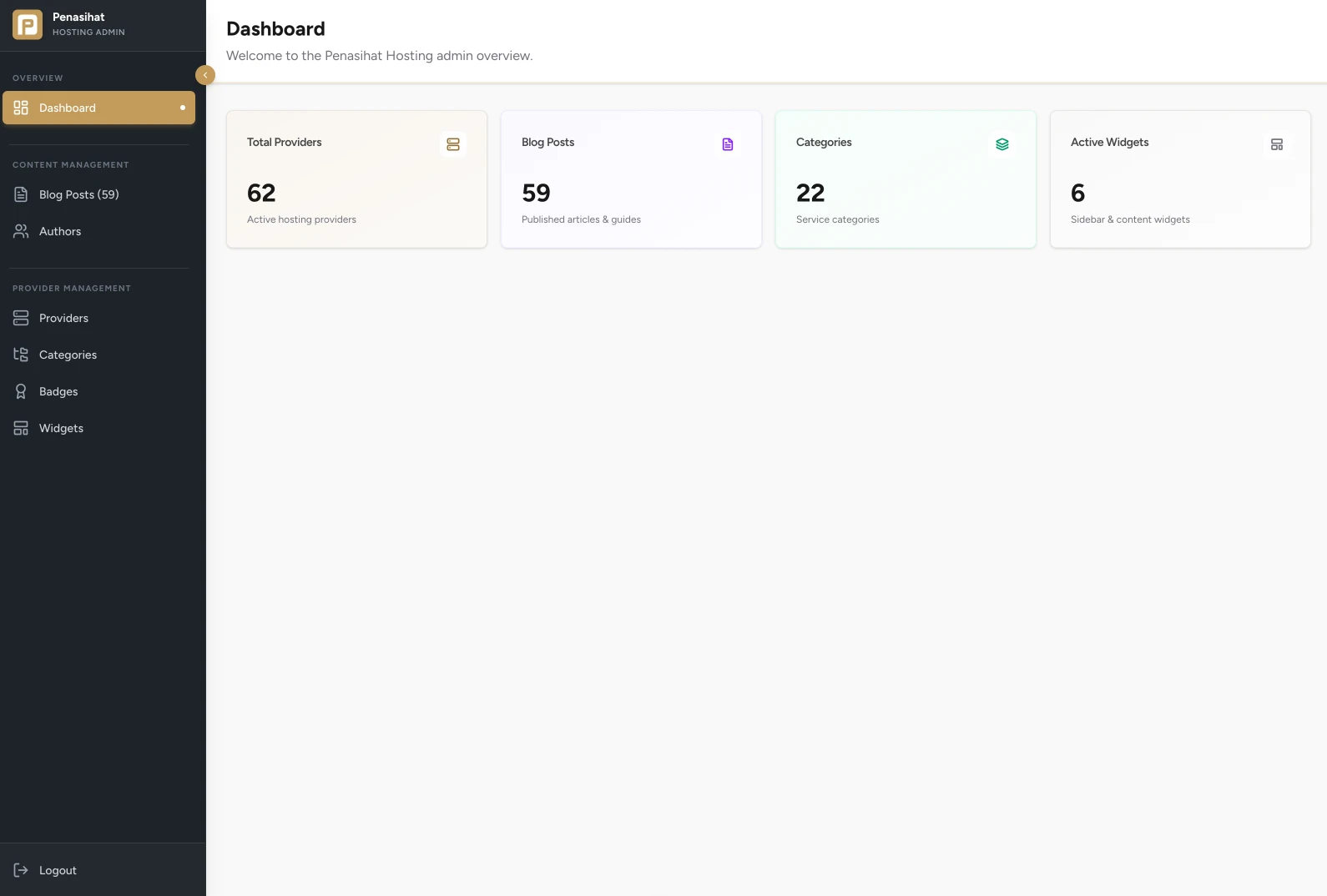
For content editing, I used an MDX editor based on CodeMirror, complete with a toolbar for inserting frequently used elements. It is not as beginner-friendly as Gutenberg, but it fits my workflow much better.
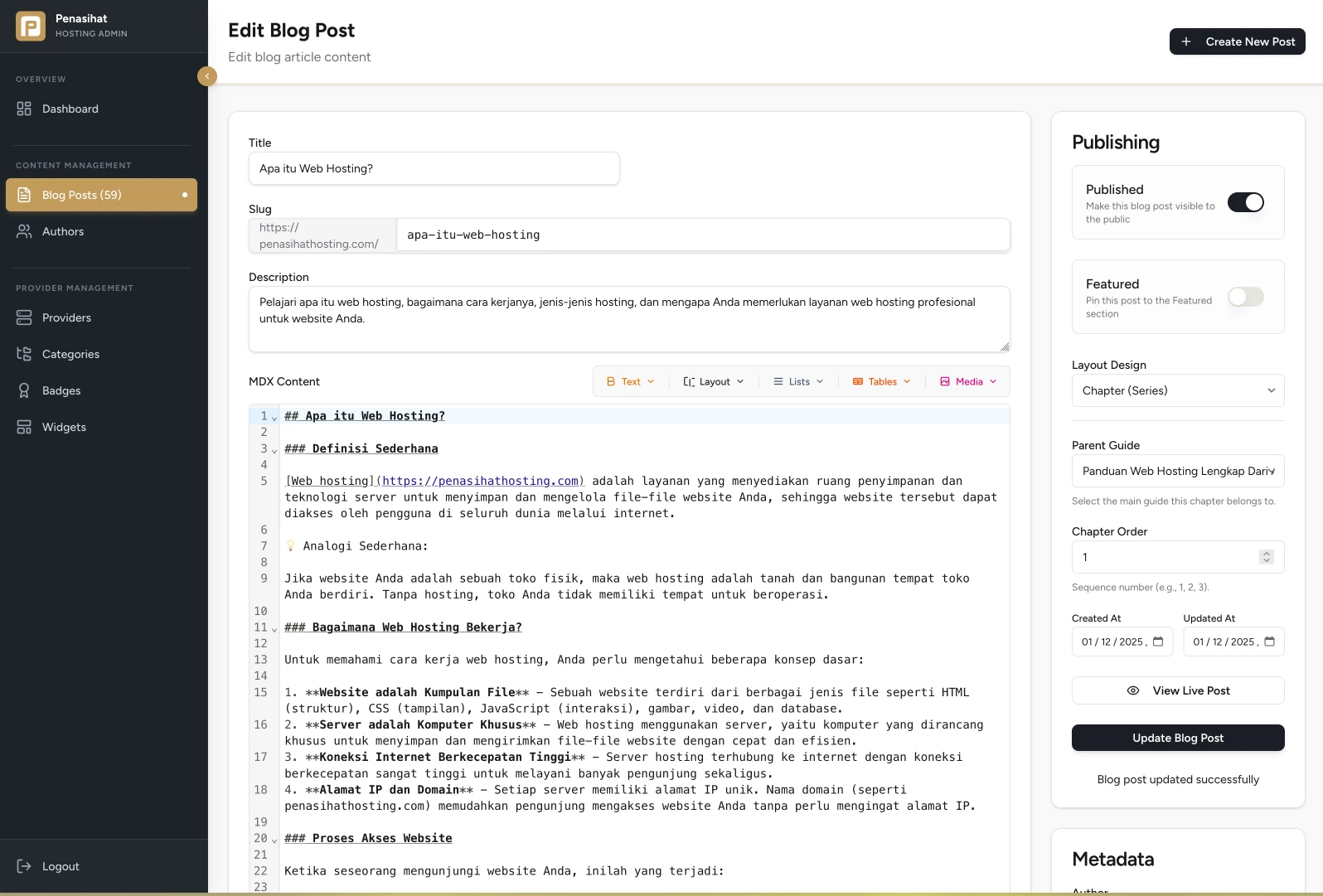
On the other hand, categories are also no longer handled as a shallow taxonomy. I built a more serious category management area because categories in this project play an important role in the structure of the directory and the broader product navigation.
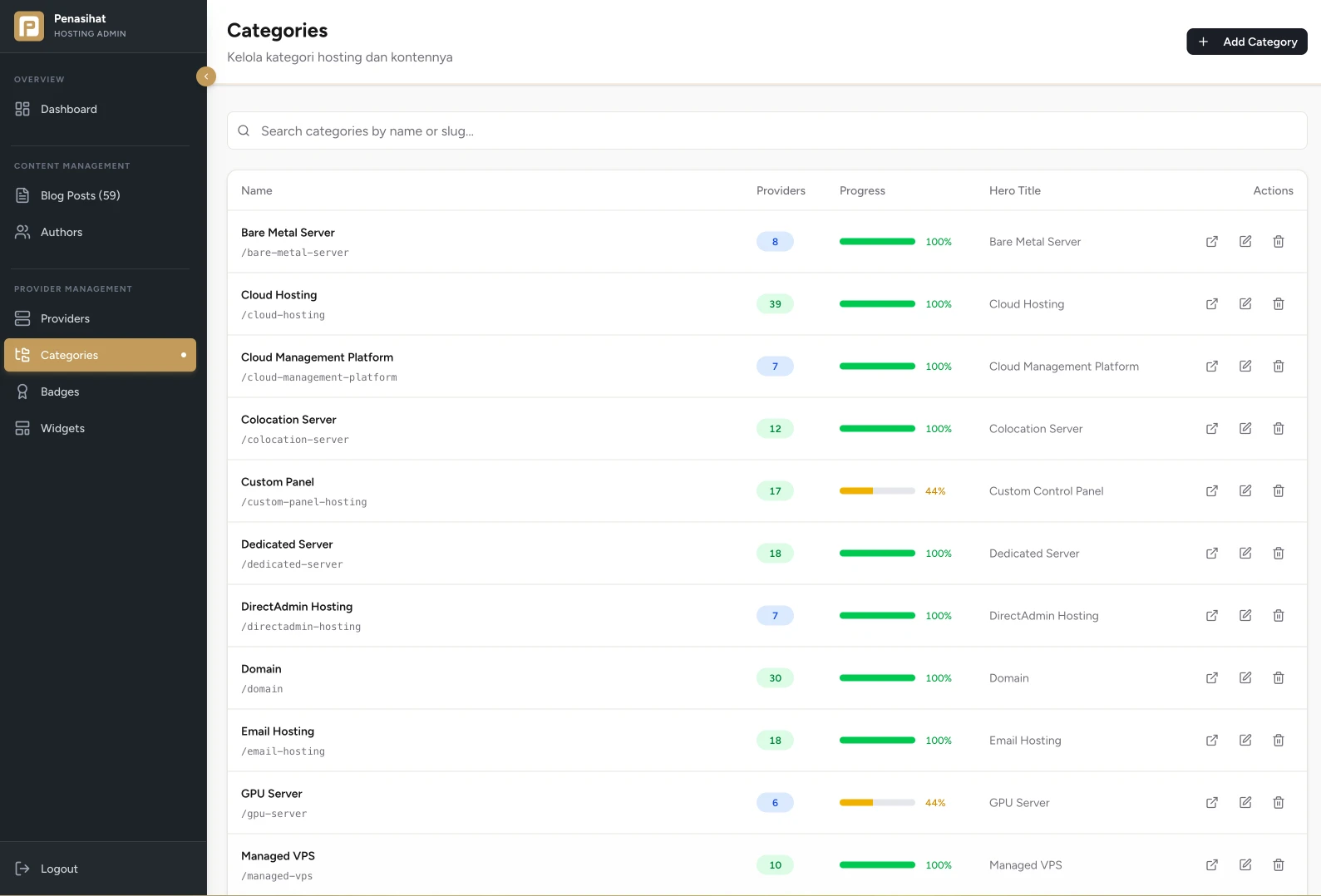
The main advantages:
This is probably the most important business reason behind the migration.
Previously, Penasihat Hosting was strongly associated with a homepage that performed well for keywords like “best hosting” and related terms. After the pivot, the homepage was no longer positioned as the single landing page for that keyword.
The homepage now acts more like a gateway into the broader ecosystem, which includes:
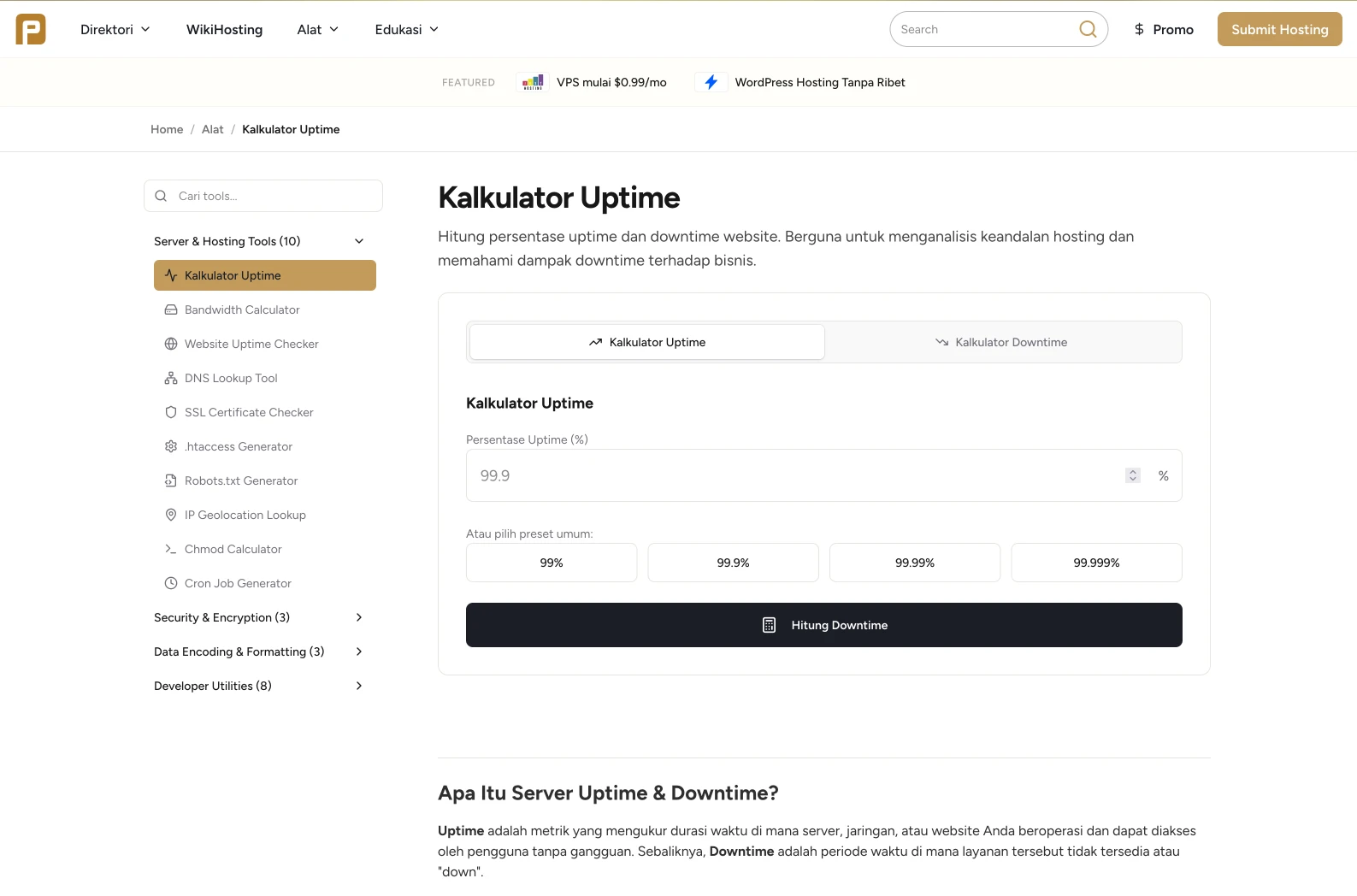
This is a major change in information architecture, and it naturally has consequences.
The page that previously functioned as the center for the keyword “best hosting” was moved to /hosting-terbaik. At the moment, that page is still around rank #11, and I consider that a normal transition phase. My current focus is on strengthening internal linking and helping Google understand that the keyword intent is no longer tied to the homepage, but to the /hosting-terbaik page.
For me, this is important to explain honestly: if there is any traffic decline, it is not purely because of the technical migration, but also because of a change in product strategy and keyword architecture.
In a migration like this, the most sensitive part is usually not design or stack choice, but SEO continuity.
Because of that, I kept several principles:
For redirects, I chose to place them directly in Nginx, not in Cloudflare Rules or in the Next.js redirect config. For me, that is faster, more flexible, and easier to manage directly on the VPS.
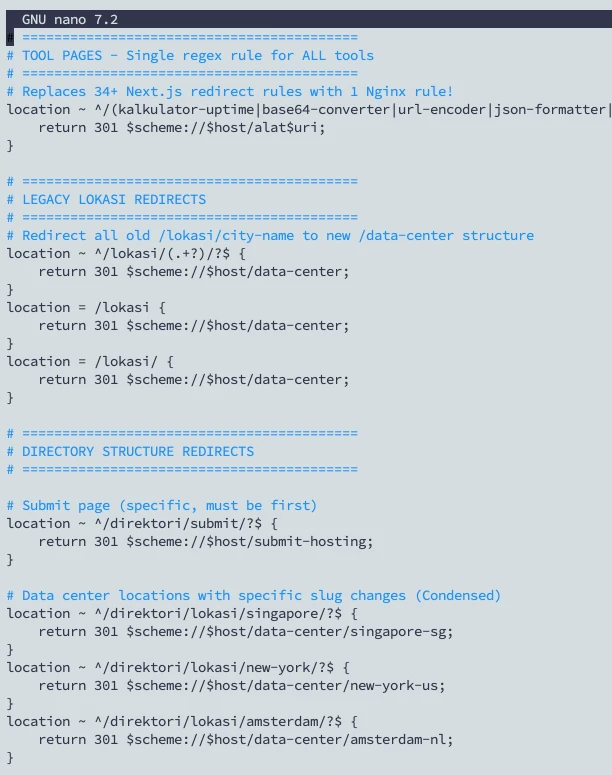
From an implementation point of view, I migrated old content with a mix of AI assistance, manual input through the CMS, and gradual database refinement. This was not a “one click and done” migration. It was more like a curation process while making sure the final result stayed clean.
Even though Next.js is already fast by default, I did not want to rely only on the framework’s defaults.
Some of the optimizations I applied:
Key pages were built with a strongly cache-oriented approach. Many stable pieces of data are stored with long-lived cache profiles and invalidated through tags when changes come from the admin area. This keeps marketing pages lightweight while still allowing controlled updates for data that changes.
I enabled cache components so pages could take advantage of more efficient rendering. For blocks that are largely static, this helps keep responses fast without making every request behave like a fully dynamic page.
Remote images are restricted to domains I control, while still using Next.js image optimization with modern formats like AVIF and WebP. Because the application runs on my own VPS, I can keep full image optimization active without worrying too much about third-party transformation costs.
Instead of stacking redirects inside the application layer, I handled them through Nginx. For a migration with a fair number of redirects, this felt faster and cleaner.
I also applied security headers at the application level for things like clickjacking protection, MIME sniffing prevention, referrer policy, HSTS, permissions policy, and a stricter CSP.
I use Upstash for rate limiting in areas that are more exposed to abuse: the contact form, newsletter, admin login, search, API endpoints, and certain tools.
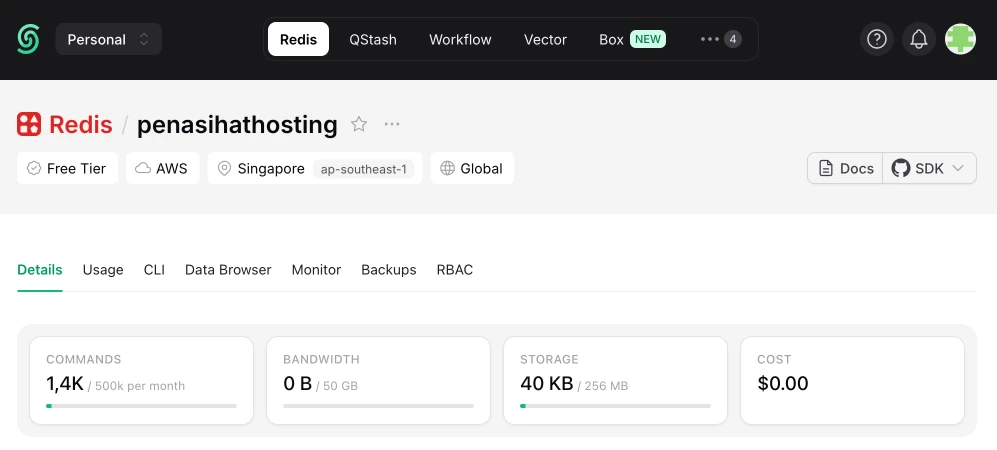
I use Umami for analytics, while the contact form and newsletter use Resend. This choice keeps development faster, cleaner, and avoids making the system feel bloated.
For me personally, the best result of this migration is not just a high PageSpeed score, but the fact that the website now feels fast and passes Core Web Vitals while also having a foundation that is much more ready to grow.
The PageSpeed Insights results I recorded:
Most importantly:
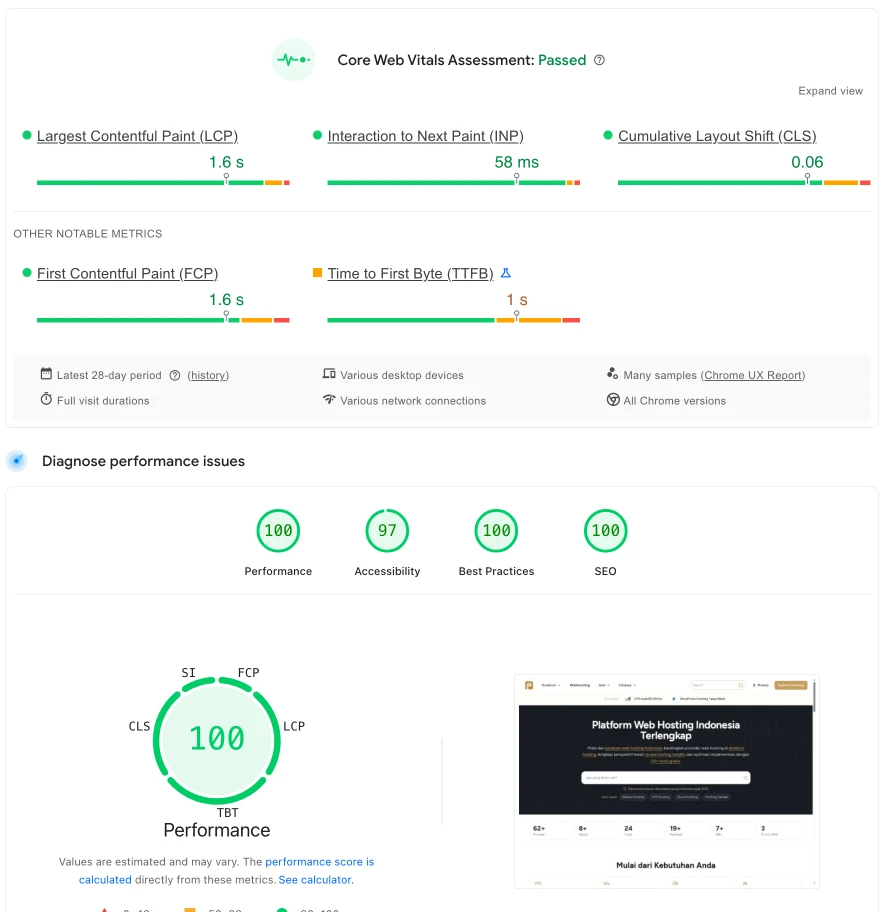
Because the server is in Singapore and the main visitors are in Indonesia, the real-world experience also feels very fast. So I am not obsessed with always seeing a perfect 100 across every device combination. As long as Core Web Vitals are passing, the pages feel fast, and the user experience is consistent, that matters much more.
My development workflow now feels much cleaner:
On the maintenance side, the truly routine work is basically just:
This is different from the WordPress maintenance pattern, which almost always comes with a checklist of core, theme, plugin, and compatibility updates.
From a cost perspective, it is also relatively efficient. There was no dramatic infrastructure cost jump because of this migration. The main additions are more about work tools like monthly AI editors or coding assistants, while I still control the core infrastructure myself.
After the migration, the biggest effects I felt were:
For SEO, I did not see dramatic damage caused by the technical migration itself. URL mapping and 301 redirects helped keep the transition reasonable.
If there is any traffic decline, the main cause is actually the pivot in content strategy and keyword structure. The homepage, which used to be strong for the keyword “best hosting,” now functions as an ecosystem gateway, while that keyword intent was moved to /hosting-terbaik.
So I see that decline more as an effect of repositioning, not as a sign that the migration failed.
Do not migrate just because the old stack feels less “cool.”
Migration should happen because the product requirements have truly changed.
WordPress is still very strong for many use cases.
But for a hybrid platform that combines content, directories, tools, and fairly custom admin logic, Next.js can become a more natural choice.
A custom CMS does not need to be fancy.
Sometimes what you need is not a universal CMS, but the right CMS for your own workflow.
AI changes the economics of development.
Projects like this are much more realistic to execute now because AI can remove a lot of manual work that used to drain time and energy.
SEO migration is not just about copying content.
What matters more is preserving intent, URL mapping, internal linking, redirects, and information structure in a way search engines can still understand.
Not at all.
In fact, after finishing it, I feel even more certain that this was the right decision for where Penasihat Hosting is going next. I feel more productive, it is easier to bring AI into my daily workflow, I have more freedom to build custom features, and I feel calmer because the foundation is now much better aligned with the complexity of the product I am building.
If Penasihat Hosting had remained just a regular review blog, I probably would not have made this migration.
But for a platform that wants to grow into a complete hosting ecosystem, I think this decision was exactly the right one.
If your website is growing beyond a standard content site and starting to look more like a product platform, we can first audit whether a stack migration is really necessary, or whether the current system simply needs a cleaner architecture.
Start with a free consultation or see our website development service if you need a rebuild on a foundation that is easier to scale.

Founder of Harun Studio, web developer, blogger, and hosting reviewer. He helps business owners build healthier websites through design, development, and long-term maintenance.
Explore more insights that connect closely with this topic.
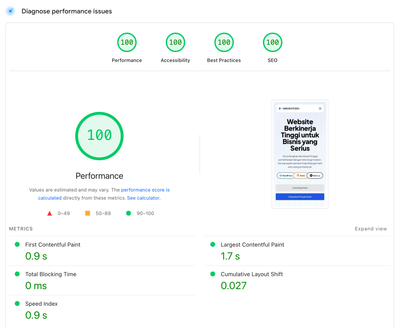
How we made the website load 8x faster, reduced hosting cost by 100%, and simplified the workflow by moving from WordPress to Astro.js.
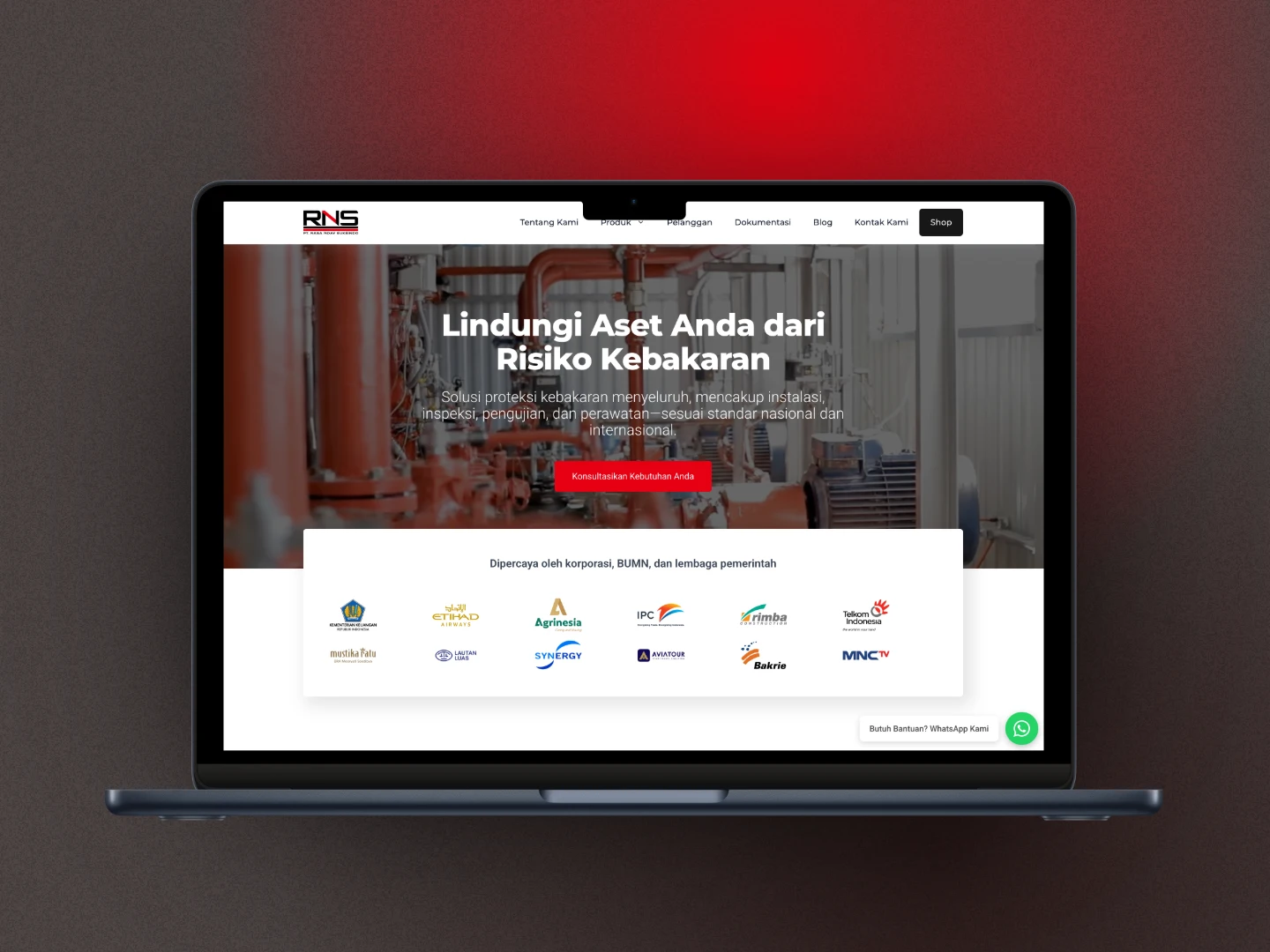
From a 404 error on firesystem.co.id to a full rebuild as hydrantsystem.co.id: a case study on building a lightweight, fast, and easy-to-manage website with a modern WordPress stack.

A case study on PT Zumatic: mobile performance improved from 53 to 93 and desktop from 81 to 100 through technical auditing, WordPress performance optimization, and a much simpler content workflow.