
Objective
Make WooCommerce checkout feel more like Shopify
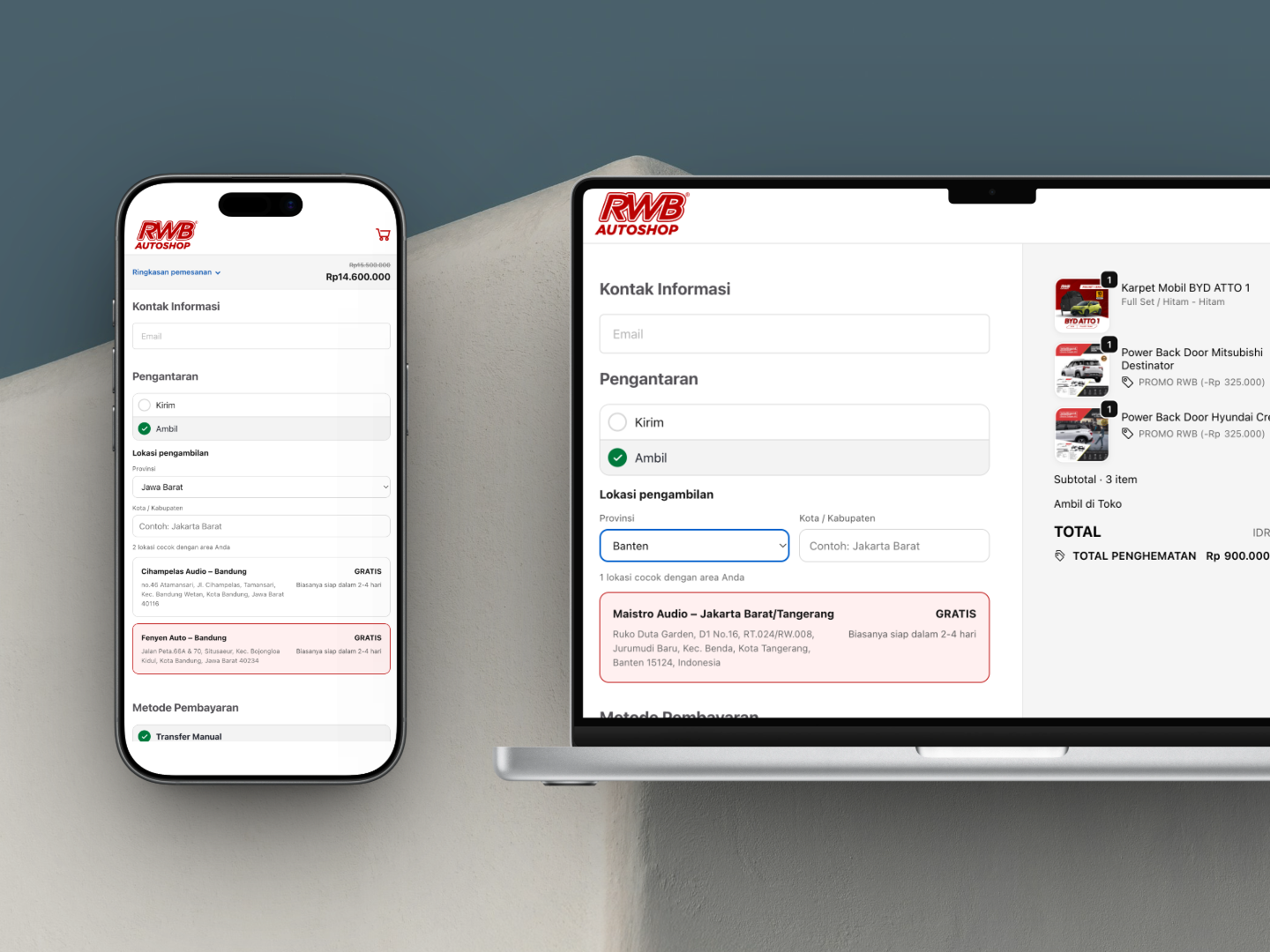
In this project, the focus was only one page: checkout. But that is exactly where conversion matters most.
My client, Pak Maikel, has been partnering with Harun Studio since December 2024. We have worked together on many projects, including maistroaudio.com, autozilla.id, presisi3d.com, and rwbautoshop.com. He is also one of the most involved clients from the start, helping with wireframes, content structure, and final design validation.
For this case study, the most recent project we executed was redesigning the WooCommerce checkout page on rwbautoshop.com so it would feel more like a Shopify checkout: cleaner, more focused, and easier for users to understand.
Objective
Make WooCommerce checkout feel more like Shopify
Approach
Fluid Checkout Lite + custom layer
Technical Scope
Custom PHP, JavaScript, and CSS
UX Focus
Less distraction, clearer CTA, mobile-first
Custom Feature
Multi-province local pickup
Want your WooCommerce checkout to feel more conversion-focused? Start with a free consultation and we will identify the main bottleneck first.
By default, WooCommerce checkout works well for many use cases, especially marketplaces or stores that need a lot of customer data right away. But for a brand store or niche store, the experience often feels too heavy.
Common traits of the default WooCommerce checkout:
Shopify checkout, on the other hand, is usually:
So the goal was not just to make it “simpler,” but to build a checkout flow that:
To get a result that visually feels closer to Shopify, building a custom plugin from scratch would have been possible. But from a business perspective, it was not the most efficient option for this project because:
So I chose a hybrid approach: use an existing plugin as the foundation, then layer custom work on top of it.
After evaluating several checkout plugins in WordPress.org, I chose Fluid Checkout Lite as the base layer for rwbautoshop.com.
Why?
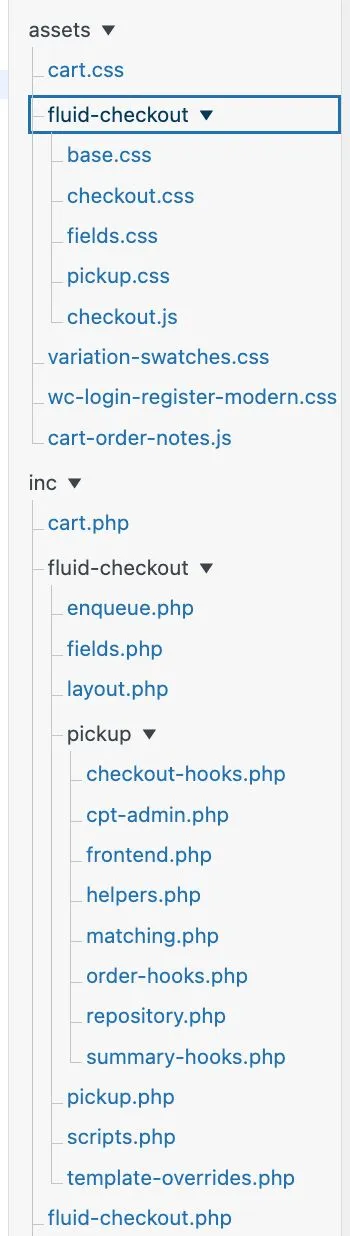
All custom code was placed in the child theme so the project would stay maintainable and safe during theme updates.
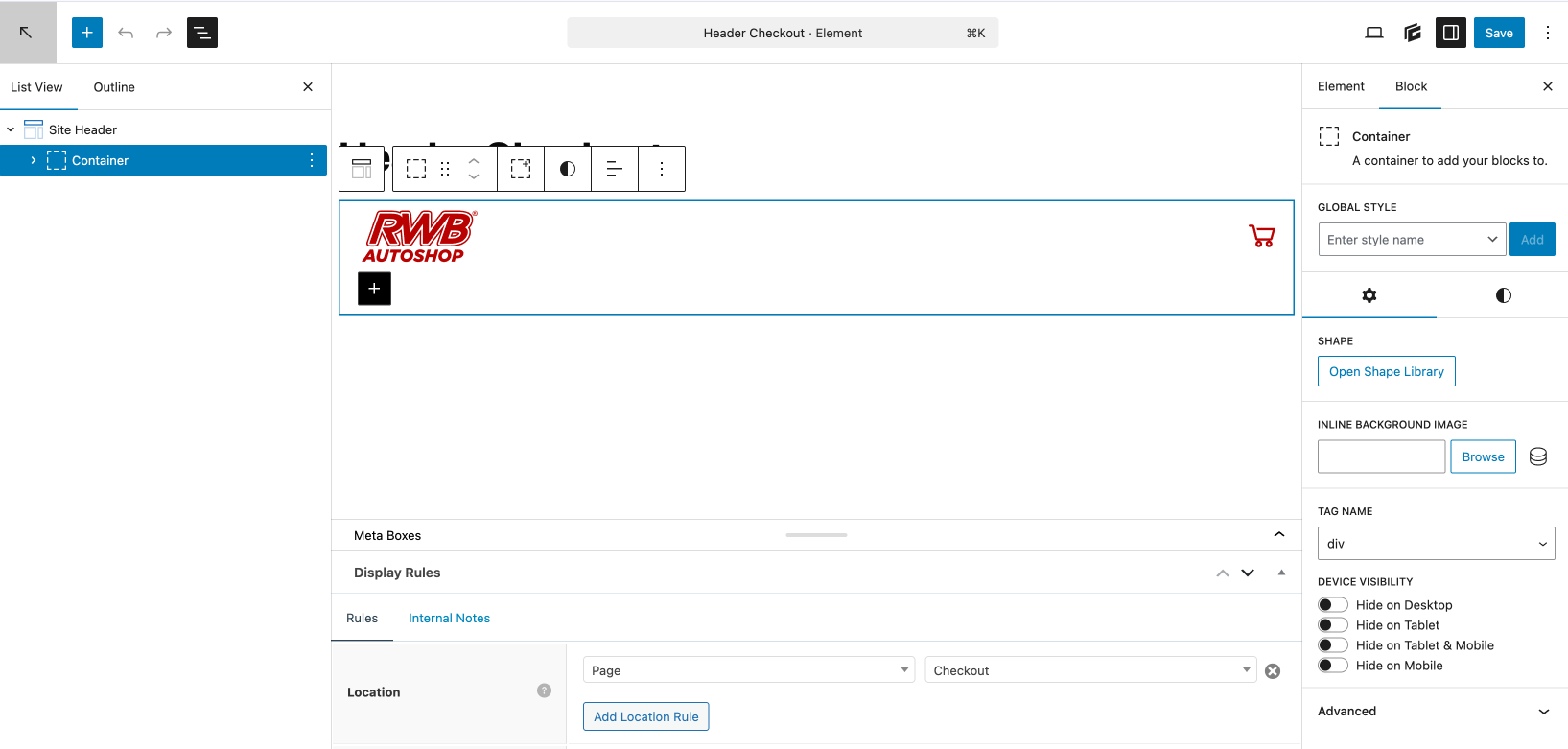
Beyond the checkout form area, I also adjusted the header so the visual experience from the very top of the page stayed consistent with the cleaner checkout direction. I built that header using GeneratePress Elements, which kept it lightweight, easy to control, and free from unnecessary page builder overhead.
With this approach, the header could be made more focused, stay brand-consistent, and remain easy to adjust later.
Implementation layers I worked on:
PHP customization
Handling checkout fields, element order, and output logic so the form flow became shorter and more focused on buying.
JavaScript customization
Managing interactive behavior so the experience felt smoother, especially when users moved between sections on smaller screens.
CSS customization
Refining visual hierarchy, spacing, typography, and component styling so the page felt like a Shopify-style checkout: clean, modern, and trustworthy.
Custom local pickup flow
I also added a custom shipping flow: customers could choose whether the order should be shipped or picked up in store. For in-store pickup, they could choose a pickup point based on province options across Indonesia.
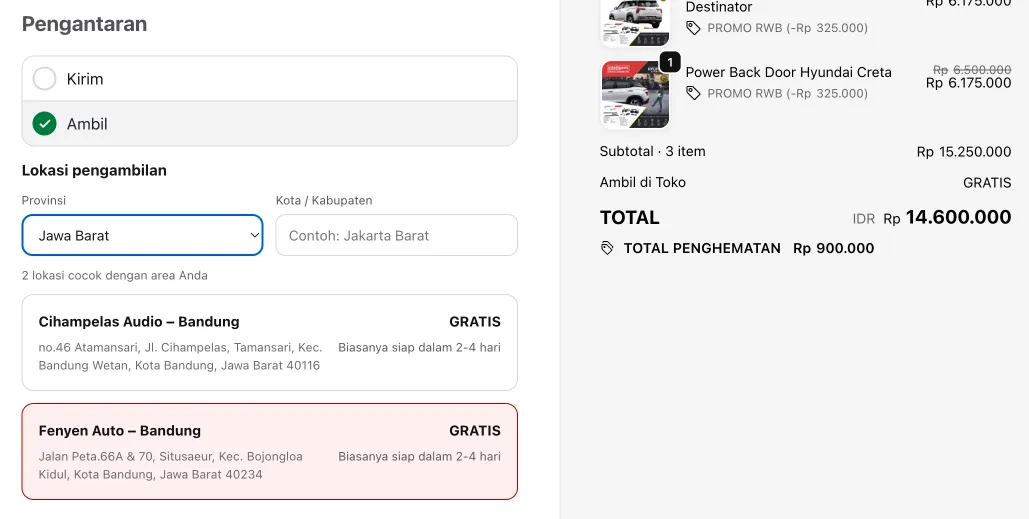
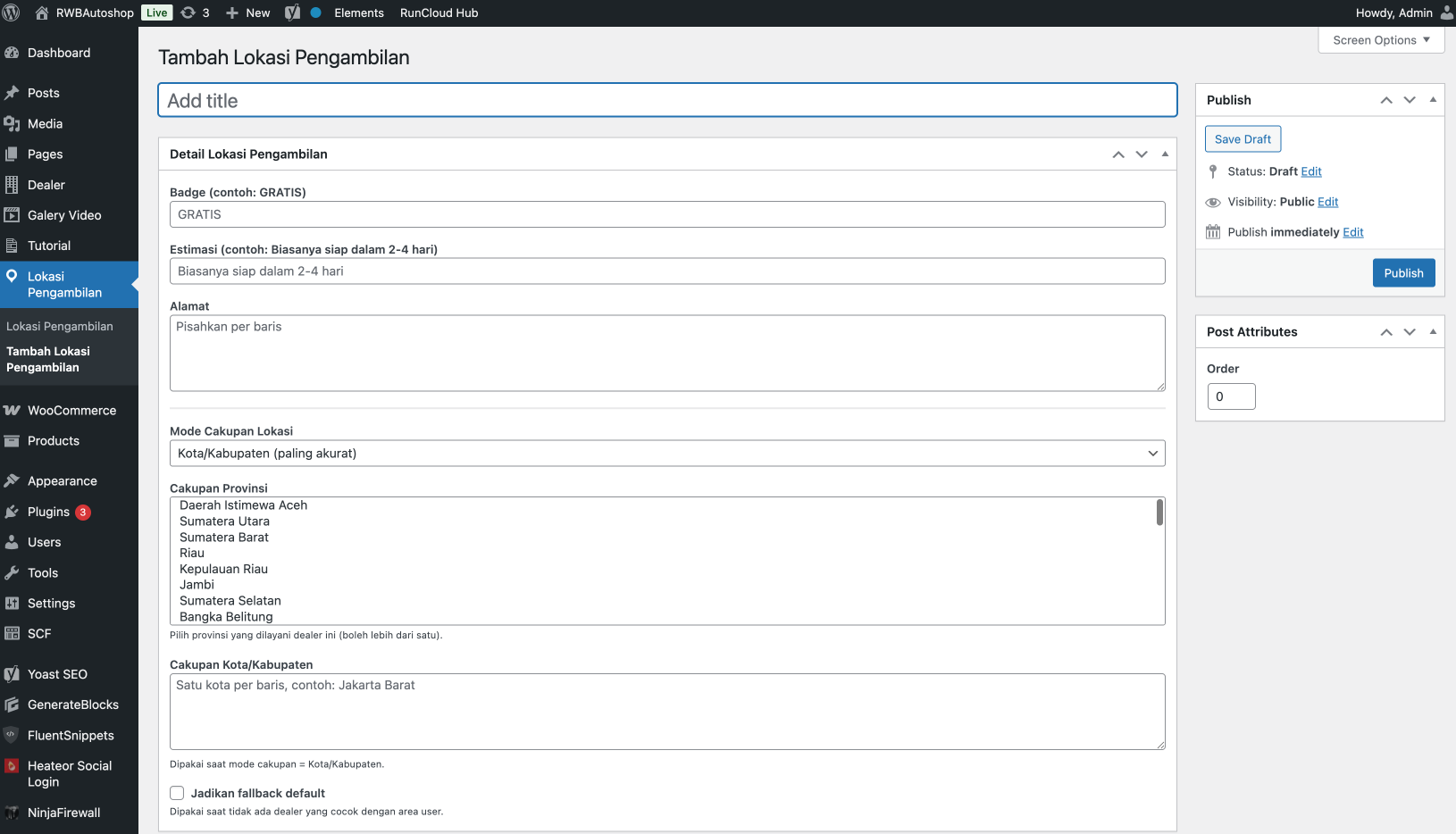
To keep operations practical, the local pickup option was also managed through a Custom Pickup Location CPT. That way, the admin did not need code changes to update pickup points, province coverage, city coverage, estimates, or fallback settings.
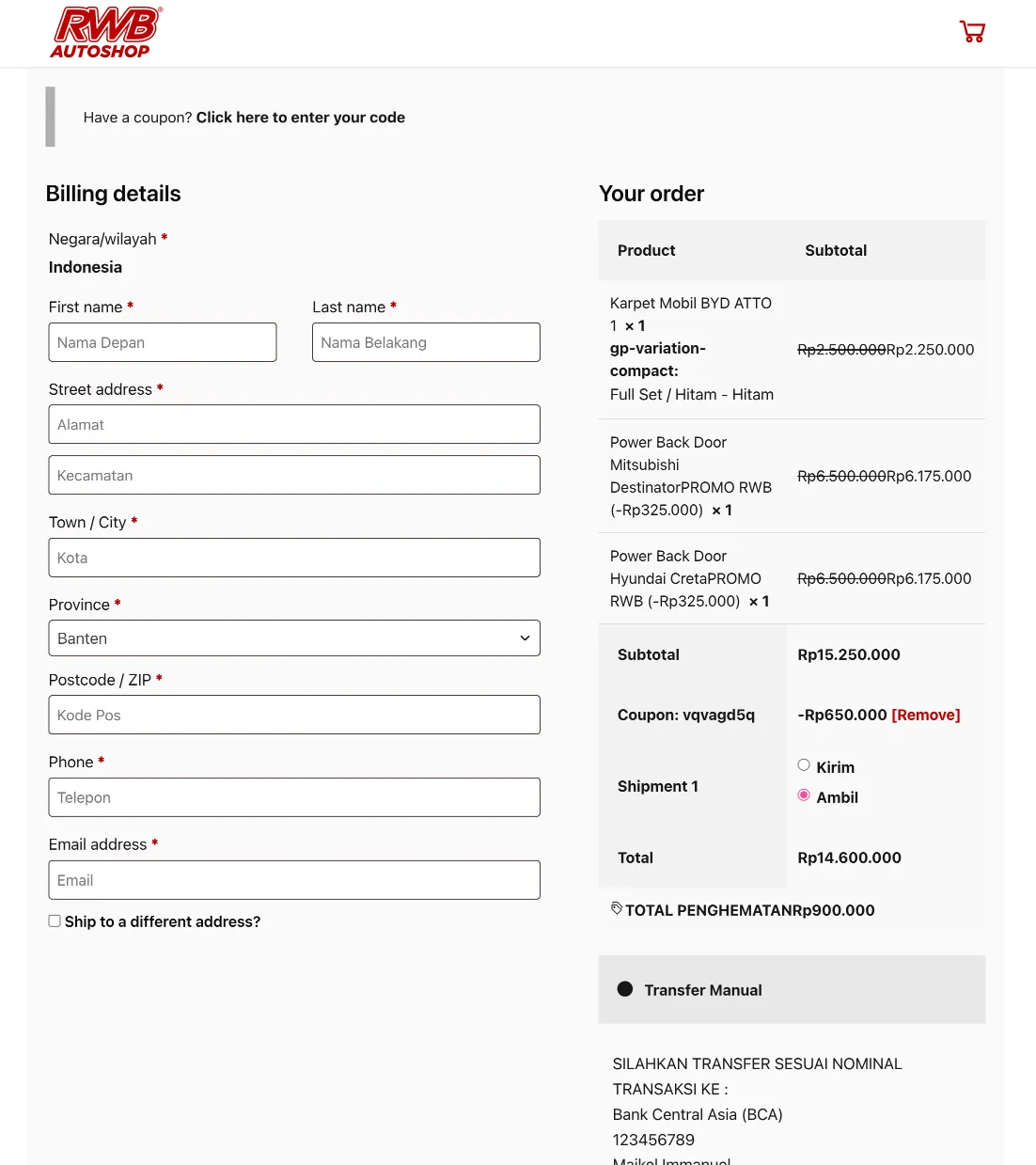
Before the redesign, the desktop checkout felt dense and less focused.
After implementation, the desktop layout became cleaner and more directly oriented toward the purchase action.
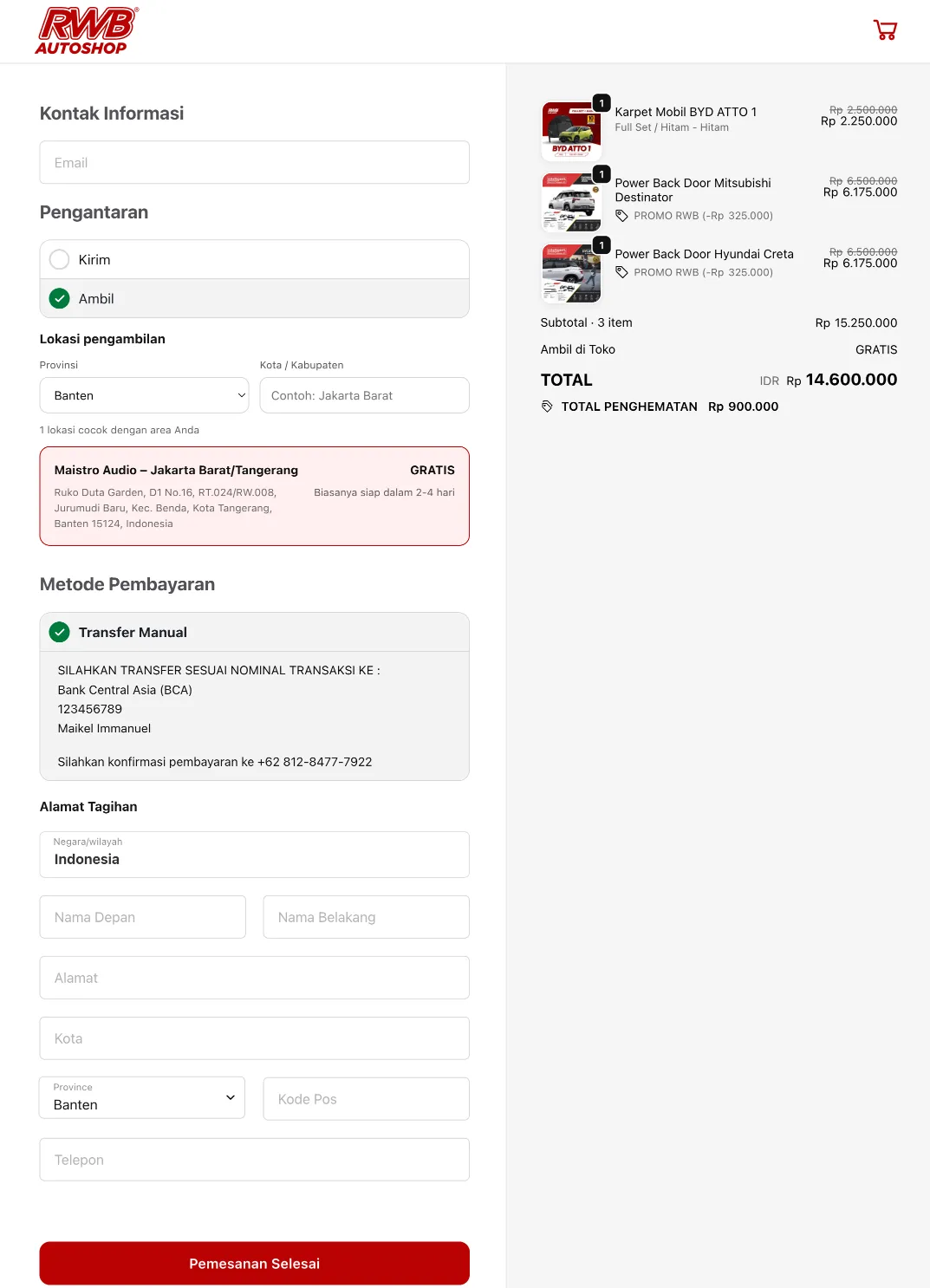
The biggest difference was on mobile, because most order traffic usually comes from smaller screens.


Even though the project covered only one page, the impact on the checkout experience was immediate:
I will also write more case studies from Pak Maikel’s project series gradually. For now, this rwbautoshop.com checkout project stands as a strong example that one well-designed page can have a big effect on the shopping experience.
If your checkout still feels long, crowded, and not focused enough on conversion, we can audit it first and then decide whether it only needs optimization or a full checkout redesign.
Start with a free consultation, or discuss custom WordPress plugin development if you need specific checkout functionality. If the scope is broader, we can also look at website redesign and block-based conversion work.

Founder of Harun Studio, web developer, blogger, and hosting reviewer. He helps business owners build healthier websites through design, development, and long-term maintenance.
Explore more insights that connect closely with this topic.
A Muslimadani.id case study: from a slow website to a faster online store that was more conversion-ready through bottleneck auditing, technical optimization, and infrastructure migration.
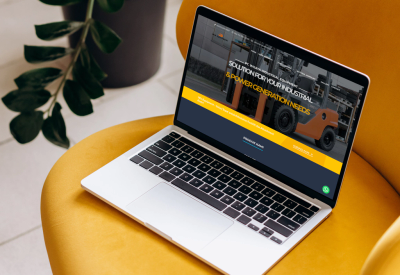
A Win Equipment case study showing how the website improved from a PageSpeed score of 27 to 92 through a full technical optimization approach.

A case study on the migration of Penasihat Hosting: from a WordPress setup that was actually still solid to Next.js 16 + PostgreSQL for long-term flexibility, a custom CMS, tool pages, and a more scalable product foundation.