
5 Fundamental Principles for a Sustainable WordPress Website
Discover five core principles for building a WordPress website that is sustainable, resilient, and ready to adapt to future technology changes.
Imagine you are building your dream house. The first architect offers a house that is easy to renovate at any time, complete with ready-made furniture options ranging from IKEA to custom-built pieces. You can change the layout, add rooms, or repaint the walls without always calling a specialist.
The second architect offers a highly custom, highly efficient house: lower electricity use, a strong structure, and a timeless minimalist design. It needs very little maintenance and the utility bill can almost drop to zero. If you ever want to renovate, you can call the same architect or another one who understands modern building systems.
Which one would you choose?
As someone who has handled the development and maintenance of more than 50 client websites, and who recently completed the migration of Harun Studio itself from WordPress to Astro, I often get asked: “Which platform should I choose for my business website?”
The answer is not as simple as saying one is better than the other. Each platform has its place, and the right choice depends heavily on your actual business needs.
Before we talk about technical details, it helps to understand one important thing: choosing a website platform is a business decision that will affect your operations for years.
The real question is not “Which platform is more advanced?” but:
WordPress powers 43.1% of all websites on the internet. That number is not an accident. WordPress became dominant for strong reasons.
With more than 60,000 free plugins and thousands of themes, WordPress is like a smartphone with millions of apps. Need e-commerce? There is WooCommerce. Need memberships? There is MemberPress. Need a landing page builder? There is Elementor, Beaver Builder, or GenerateBlocks, which is the one I usually recommend.
This ecosystem is not only large. It is also mature. Popular tools like Yoast SEO, WP Rocket, and Wordfence have been tested by millions of sites and continue to evolve.
This is still WordPress’s biggest strength.
Your marketing team can publish blog posts, add products, or update landing pages without waiting for a developer.
The WordPress admin interface is familiar enough that the learning curve stays relatively low.
WordPress is no longer just for blogging. It can support:
If you run into a WordPress problem, chances are someone has already faced it, solved it, and discussed it publicly.
This is the part people often avoid talking about honestly.
Healthy WordPress maintenance usually includes:
From my own experience maintaining WordPress websites every week, proper care usually takes at least 1-3 hours per month per website. A large number of malware cases I have handled came down to the same root issue: the WordPress site was not maintained properly.
Note: If your site has severe errors or becomes inaccessible because of plugin or theme conflicts, this repair support page can help make recovery more manageable.
Because WordPress is so popular, it is also a major target for attackers. According to Wordfence, every year there are many vulnerabilities discovered in WordPress core, plugins, and themes.
I have personally handled malware cleanup on WordPress sites infected because the client used nulled plugins. In cases like that, the first step is often replacing pirated plugins or themes with legitimate versions before cleaning can even be trusted.
WordPress can absolutely be optimized to reach excellent PageSpeed scores, as we did for Win Equipment, but it usually requires extra effort and a good stack.
WordPress is not automatically slow. But heavy builders like Elementor and Beaver Builder make it much harder to consistently reach 90+ scores, especially on mobile, particularly when the site uses many elements that are harder to optimize, such as sliders.
Performance usually suffers because of:
A more professional WordPress setup often needs:
Over time, the total cost can become much higher than businesses expect.
Astro is still much newer than WordPress, but it has already become very compelling for certain types of websites. It is built around the idea of shipping less JavaScript and focusing hard on performance.
From the Harun Studio migration, we saw:
Astro gets there through:
This is one of Astro’s biggest advantages. An Astro site can be hosted for free or almost free on:
Cloudflare Pages:
Vercel:
Netlify:
For example, both Harun Studio and Penasihat Hosting use Cloudflare Pages for Astro hosting with effectively zero hosting cost per month.
Static sites are inherently safer because:
Once an Astro site is live, maintenance becomes much calmer:
This is where the landscape has changed dramatically.
Tools like Cursor, Windsurf, and other AI coding workflows make Astro development far more accessible than many people assume. In practice, AI can now reduce a huge amount of repetitive work.
Astro usually requires some understanding of:
Teams used to a familiar WordPress dashboard may need a meaningful adjustment period.
Compared with WordPress, Astro’s ecosystem is still limited. You can extend it with React, Vue, or Svelte, but that usually means more development work.
For structural changes, design changes, or custom functionality, you still need developer involvement. There is no direct equivalent to Elementor or Divi.
That said, AI tools reduce this dependency because developer work becomes much faster, and even non-developers can sometimes handle simple changes if they learn how to use tools like Cursor or Windsurf.
Astro works very well for content-focused websites, but it is not the best fit for:
Shared hosting:
VPS hosting:
Managed WordPress hosting:
Cloudflare Pages:
- Bandwidth: 100GB/month (free)
- Build time: 500 build minutes/month
- Sites: Unlimited
- Custom domains: Unlimited
- Global CDN: 275+ locations
- SSL: Free and automatic
Vercel:
- Bandwidth: 100GB/month (free)
- Serverless functions: 100GB-hours
- Build execution: 6,000 minutes/month
- Sites: Unlimited
- Team members: 1 free
Three-year cost comparison:
| Platform | WordPress (VPS) | Astro (Cloudflare) |
|---|---|---|
| Hosting | Rp 10,800,000 | Rp 0 |
| Domain | Rp 525,000 | Rp 525,000 |
| Email hosting | Rp 1,500,000 | Rp 1,500,000 |
| Themes/Tools | Rp 4,000,000 | Rp 500,000 |
| Maintenance | Rp 36,000,000 | Rp 6,000,000 |
| Total | Rp 52,825,000 | Rp 8,525,000 |
Estimated savings: Rp 44,300,000 over three years
Muslimadani.id is a good example of when WordPress is the right choice.
Why WordPress was the right fit:
Results achieved:
If your needs are similar, you can also look at our WordPress website development service for e-commerce-focused work.
The Harun Studio migration to Astro shows the strength of Astro clearly.
Why Astro was the right fit:
Results achieved:
Based on my experience across many projects, this is the framework I use during consultations.
✅ You need complex e-commerce requirements
✅ Your internal team needs to update content often
✅ Your initial development budget is more limited
If your requirements are moving into dashboards, workflow automation, or custom business modules, that is usually a better fit for custom web application development rather than a standard website setup.
✅ You have highly specific integration requirements
✅ You need a company profile or portfolio website
✅ You run a blog or content-heavy site
✅ You need landing pages for marketing
✅ You care about long-term cost efficiency
Development has changed dramatically with AI.
What used to take days can now be done in hours.
Cursor: an AI-powered IDE that can generate Astro code from natural language prompts.
Windsurf: useful for collaborative development and real-time AI-assisted review.
Augmented: strong context-aware code completion for Astro projects.
With these tools, Astro development becomes much more accessible, even for developers without deep frontend specialization.
A realistic workflow now looks like this:
Total time: 1-2 hours for a complete landing page that used to take 1-2 days.
After years in this industry, the honest answer is simple: there is no perfect platform for every case.
Real WordPress challenges:
Real Astro limitations:
When clients consult with us, this is the process:
We recommend a platform based on:
Let us be honest about total cost of ownership.
Development: Rp 10,000,000
Hosting (VPS): Rp 10,800,000
Domain: Rp 525,000
Premium plugins/themes: Rp 4,000,000
Email hosting: Rp 1,500,000
Maintenance service: Rp 36,000,000
Total: Rp 62,825,000Development: Rp 15,000,000
Hosting (Cloudflare): Rp 0
Domain: Rp 525,000
Email hosting: Rp 1,500,000
Tools & services: Rp 500,000
Updates/modifications: Rp 6,000,000
Total: Rp 32,525,000Estimated savings with Astro: Rp 30,300,000 over three years
That said, this is not only about choosing the cheaper platform. It is about choosing the platform that gives the best return for your actual business context.
Before choosing a platform, ask yourself:
Choosing between WordPress and Astro is not about which one is absolutely better. It is about which one is more aligned with your business journey.
WordPress is still an excellent choice if you prioritize flexibility, want more independence for internal content management, or need more complex functionality that already exists inside the WordPress ecosystem.
Astro is a future-facing choice if you prioritize performance, long-term cost efficiency, and a more developer-led workflow.
From our experience at Harun Studio, both platforms are valid in modern web development. The most important thing is making an honest assessment of your needs and the long-term implications of the choice.
Not sure which platform is right for your business? Harun Studio has deep experience with both WordPress and Astro, and we can help you make a more informed decision.
We offer a free consultation to analyze your requirements and recommend the best fit, whether that is WordPress, Astro, or even a hybrid approach.
Schedule a free consultation and let us discuss how the right website can support your business growth.
Or if you are already leaning toward one platform, you can explore our website development service which includes development, optimization, and ongoing support so the site is not only beautiful, but also effective for the business.
Note: the cost and performance figures in this article are based on our real project experience. Actual numbers can vary depending on requirements and market conditions.

Founder of Harun Studio, web developer, blogger, and hosting reviewer. He helps business owners build healthier websites through design, development, and long-term maintenance.
Explore more insights that connect closely with this topic.
Discover five core principles for building a WordPress website that is sustainable, resilient, and ready to adapt to future technology changes.

A complete guide to choosing between shared hosting, VPS, and dedicated servers based on your needs, budget, and website growth stage.
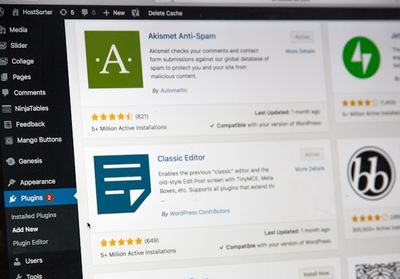
Explore why WordPress maintenance matters for your website's security, performance, and stability.